Portable app · under 1 MB · no installer

Automatic Keyboard Presser cuts repetitive typing.

Stop manually pressing the same keys over and over. This utility runs predefined keyboard sequences at the press of a hotkey, saving you minutes each day. Configure once, use unlimited times—no setup headaches.

No ads or trackingNo installation required100% free, alwaysv1.0
Hotkey triggersTimed sequencesNo dependenciesLightweightFree download
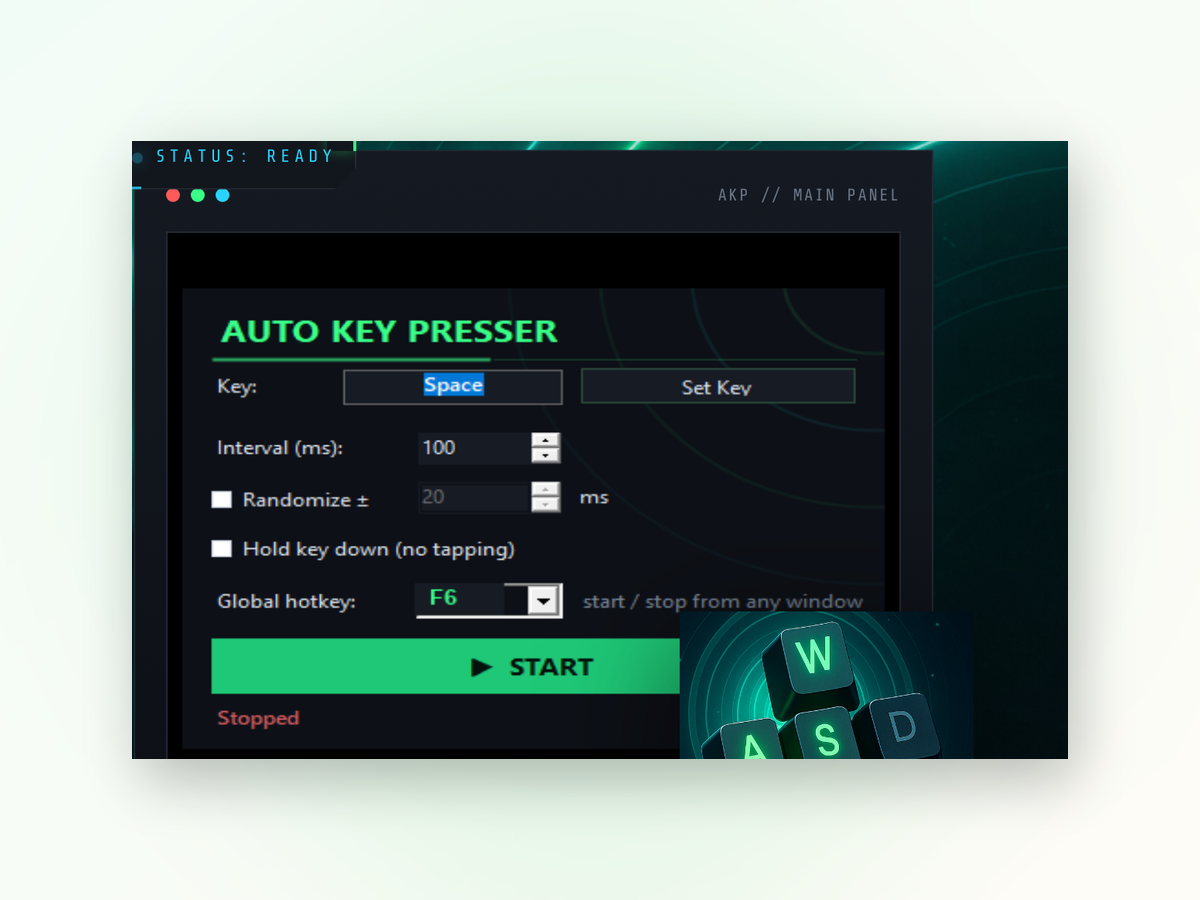
Automatic Keyboard Presser app window on Windows
Actual advantages

Why this tool beats manual typing.

Automation means fewer mistakes, faster results, and hands free from keyboard wear.

Zero learning curve

Point and click to record or type sequences. No scripting language required. Start automating in minutes, not hours.

Runs offline

Everything stays on your PC. No cloud, no subscriptions, no data leaving your machine. Full control.

Lightweight resource use

Minimal CPU and memory footprint. Leave it running without slowing down your work or games.

Customizable hotkeys

Assign any key combination to trigger a sequence. Switch between multiple automations with different triggers.

Side by side

How it compares to other automation methods.

Most alternatives demand more setup, more overhead, or more restrictions.

Works offline
Always
Requires internet
Setup time
Minutes
Hours often
Cost
Free forever
Freemium or paid
Works in all apps
Yes
Browser only
Data privacy
Local only
Synced servers
System load
Minimal
Browser overhead
Real-world results
Inside the appAutomatic Keyboard Presser window

Watch sequences execute with precision.

The utility runs exactly what you program it to run, every time. Whether you need to type a standard response, enter credentials, or fill forms, the output stays consistent and fast.

Form fillingPress one hotkey and watch it populate text fields with predefined input.
Quick responsesReplay common messages or code snippets in any application without retyping.
Timed inputSet delays between key presses to match the pace of target applications.
Quick setup

Get started in four steps.

From download to first automation takes about two minutes.

Your questions

Common questions answered.

Do I need to install dependencies or runtimes?

No. The utility is self-contained and ready to run immediately after download.

Can I pause or disable a sequence without uninstalling?

Yes. You can toggle hotkeys on and off, or simply close the utility and reopen it when needed.

Will this work in games or applications that detect automation?

It presses real keys, so it behaves like manual input, but some games and security software may still detect or block it.

How many sequences can I create?

You can define as many sequences as you want, each with its own hotkey trigger.

Does it run in the background?

Yes. Once configured, keep the utility running and use your hotkeys anytime without switching windows.

Can I add pauses or delays between key presses?

Yes. You set the delay in milliseconds between each keystroke to match the timing needs of your target application.

Is my keyboard input logged or sent anywhere?

No. Everything is processed locally on your machine and never leaves your PC.
Stop typing the same thing twice.

Download Automatic Keyboard Presser now and reclaim the time you spend on repetitive input.

Download for Windows
Latest release · v1.0